
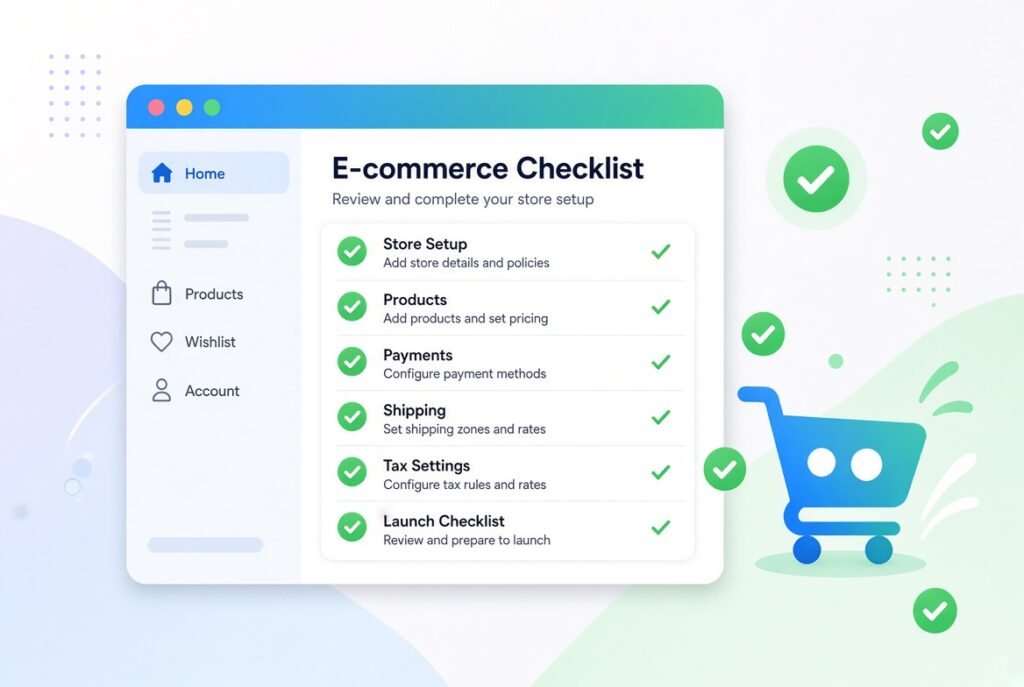
Running an online store is exciting, but it can also feel overwhelming. There are so many moving parts, and it is easy to miss something important. This checklist will walk you through the features that truly matter, so your store looks professional and actually converts visitors into paying customers.
A website is often the first impression a customer forms about your brand. If the layout feels confusing or the checkout process feels slow, most shoppers will simply leave and buy from a competitor instead. Research has shown again and again that online shoppers expect speed, simplicity, and trust signals before they hand over their payment details. This is exactly why an e-commerce website checklist is so valuable. It helps you look at your store from a customer’s point of view instead of only from a business owner’s point of view.
When you focus on the right features, you are not just making your website look nice. You are removing friction, answering questions before they are even asked, and giving people every reason to complete their purchase. That is the real goal of this guide: to help you build a store that feels effortless to shop on.
Navigation is the backbone of any e-commerce website. If people cannot find what they are looking for within a few seconds, they will not stick around.
Your menu should reflect how customers actually think, not how your internal team organizes inventory. Group products into categories that make sense to a shopper browsing casually.
A strong search bar can be the difference between a sale and a lost customer. Many shoppers skip browsing altogether and head straight to search.
As a customer types, suggestions should appear instantly. This reduces typing effort and guides shoppers toward products they may not have thought to search for directly.
Once search results appear, shoppers need a way to narrow things down. Filters for price, size, color, brand, and rating allow customers to reach the right product quickly, which keeps them engaged instead of frustrated.
The product page is where the actual decision happens. This is where features, design, and trust signals all come together.
Customers cannot touch or try your product, so visuals are doing all the work. Blurry or limited images create doubt, while sharp, detailed visuals build confidence.
Allowing shoppers to zoom in on fabric texture, stitching, or fine details reduces uncertainty. A 360 degree spin feature is especially useful for products such as shoes, electronics, or furniture.
A good description answers questions before they are asked. Instead of only listing specifications, explain how the product solves a problem or improves the customer’s life. Avoid generic filler text, and be specific about materials, sizing, and use cases.
Reviews act as social proof, and social proof is one of the strongest sales drivers online. Shoppers trust other shoppers more than they trust brand messaging.
This stage is where many stores lose sales without even realizing it. Cart abandonment is often caused by a checkout process that feels long, confusing, or untrustworthy.
Forcing a customer to create an account before purchasing is a common mistake. Many shoppers will abandon the cart entirely rather than fill out a registration form. Offering a guest checkout removes this barrier completely.
Different customers prefer different ways to pay, and limiting options limits your sales.
Options such as Apple Pay, Google Pay, and similar wallets speed up checkout dramatically since customers do not need to type in card details manually.
Installment based payment options have become increasingly popular, especially for higher priced items. Offering this flexibility can increase average order value.
Hidden shipping fees are one of the top reasons shoppers abandon their carts at the final step. Show shipping costs early, ideally on the product page or cart page, rather than surprising customers at checkout.
Trust is not automatic online. You need to actively earn it through visible signals throughout the shopping journey.
An SSL certificate protects customer data and also signals credibility. Display security badges near the checkout button so customers feel confident entering their payment information.
A confusing or hidden return policy creates hesitation. Make this policy easy to find and easy to understand, since it directly affects a customer’s willingness to buy, especially for first time visitors.
A large percentage of online shopping now happens on mobile devices, which means a desktop only mindset will cost you sales.
Your website should adjust automatically to different screen sizes without breaking layout, hiding buttons, or forcing horizontal scrolling.
Mobile shoppers are impatient, and a slow website often leads to immediate abandonment.
Large uncompressed images are one of the most common causes of slow loading times. Compressing images without sacrificing quality keeps pages fast.
Caching stores parts of your website so returning visitors experience faster load times, which improves both user experience and search engine rankings.
Beyond the basics, certain features actively encourage customers to buy more and return more often.
Sections such as “customers also bought” or “you may also like” increase average order value by showing relevant products at the right moment.
Not every visitor will buy on their first visit. Capturing their email through a simple signup form allows you to bring them back later through targeted offers and updates.
Quick answers to pre-purchase questions can directly influence whether someone completes a purchase.
Automated chat assistants can handle common questions instantly, even outside business hours, while more complex issues can still be routed to a human support agent.
You cannot improve what you do not measure. Installing analytics tools allows you to track visitor behavior, identify where customers drop off, and understand which features are actually driving sales. Regularly reviewing this data helps you make informed decisions instead of relying on guesswork.
Building a high converting e-commerce website is not about adding every possible feature at once. It is about focusing on the elements that genuinely improve the shopping experience, reduce friction, and build trust. Start with the essentials outlined in this checklist, measure results, and continue refining based on real customer behavior. Small improvements across navigation, product pages, checkout, and mobile experience can add up to a significant increase in sales over time.
What is an e-commerce website checklist?
An e-commerce website checklist is a structured list of essential features and elements that an online store should include to provide a smooth shopping experience and increase conversions.
Why is mobile optimization important for online stores?
A large share of online shopping traffic comes from mobile devices, so a website that does not display properly on smaller screens will lose a significant number of potential customers.
Does guest checkout really improve sales?
Yes, guest checkout removes an unnecessary barrier during the buying process, and many shoppers prefer to skip account creation entirely when making a purchase.
How important are customer reviews for conversions?
Customer reviews build trust through social proof, and shoppers are generally more likely to purchase a product that has genuine reviews and ratings from previous buyers.
What payment methods should an online store offer?
An online store should offer multiple options, including major credit and debit cards, digital wallets, and installment based payment plans, to accommodate different customer preferences.
How does website speed affect sales?
Slow loading pages increase bounce rates and cart abandonment, since shoppers are generally not willing to wait long for a page to load before moving on to another store.
Why should shipping costs be shown early?
Displaying shipping costs early prevents unpleasant surprises at checkout, which is one of the leading causes of last minute cart abandonment.
What role does live chat play in e-commerce?
Live chat allows customers to get quick answers to questions during the buying process, which can prevent hesitation and reduce the chances of them leaving without completing a purchase.
How do product images affect purchase decisions?
High quality images allow customers to evaluate a product closely, and features such as zoom or 360 degree views help reduce uncertainty that could otherwise prevent a sale.
How often should an e-commerce website be updated or improved?
An e-commerce website should be reviewed regularly, ideally every few months, using analytics data to identify weak points and continuously improve the overall shopping experience.