
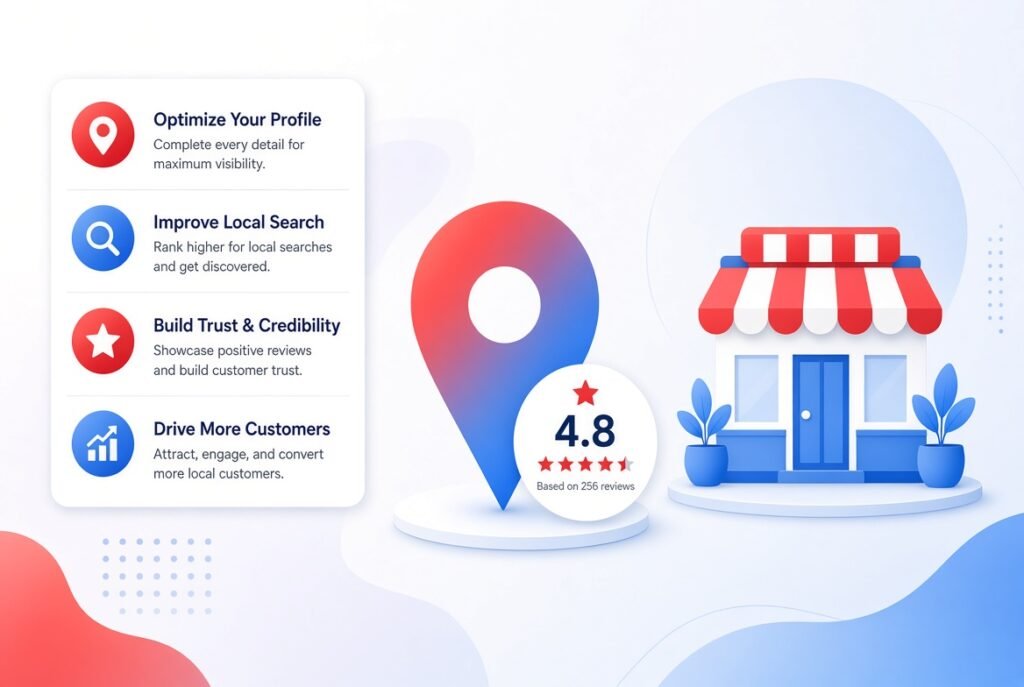
If you run a local business, your Google Business Profile is often the very first thing potential customers see about you. It shows up when someone searches your business name, and it also appears in local map results when someone searches for services near them. This guide will walk you through every step needed to optimize your profile properly, so it works as a powerful tool for attracting new customers.
Many business owners create a profile once and never touch it again. This is a missed opportunity, because an optimized profile directly affects whether your business appears in local search results, how trustworthy you look to potential customers, and how many people actually click through to visit your website or call your number. A well optimized profile is not a one time task. It is an ongoing effort that pays off through better visibility and more foot traffic or inquiries.
Before diving into advanced optimization, it is important to get the foundation right.
If you have not claimed your business listing yet, this is the very first step. Search for your business name on Google, and if a listing already exists, claim it. If it does not exist, create a new profile from scratch.
Your primary category tells Google exactly what your business does, and it plays a major role in which searches you appear for.
Choose a category that matches your core service as closely as possible. Avoid vague categories, since a specific match improves your chances of ranking for relevant searches.
Secondary categories allow you to capture additional relevant searches. For example, a bakery might also add categories such as coffee shop or catering service if those services genuinely apply.
An incomplete profile signals low effort, both to Google and to potential customers browsing your listing.
This information, often referred to as NAP, must be accurate and consistent across your website and other online directories. Inconsistent information can confuse both customers and search engines.
Keep your regular hours updated, and remember to adjust special hours during holidays or unexpected closures. Nothing frustrates a customer more than arriving at a location that is closed despite the listing showing it as open.
Your business description is a chance to explain who you are and what makes you different. Write it in a natural tone, mention your core services, and include relevant keywords without forcing them awkwardly into the text.
Use this section to mention what sets you apart, such as years of experience, certifications, or a specialty service that competitors do not offer.
Visual content has a strong impact on whether people choose to visit your business over a competitor.
Upload clear, well lit photos of your storefront, interior, products, team, and completed work if applicable. Profiles with more photos tend to receive significantly more engagement than those with only a logo.
Short videos showing your business in action, whether a walkthrough of your space or a demonstration of your service, can further increase engagement and help potential customers feel more familiar with your business before they even visit.
Reviews are one of the strongest trust signals in local search, and they directly influence purchasing decisions.
Ask satisfied customers directly, and make the process easy by sharing a direct link to your review page. Timing matters as well, since asking right after a positive experience tends to yield better results.
Respond to every review whenever possible, including negative ones.
A short, genuine thank you message shows appreciation and encourages future customers to trust your business.
Address concerns calmly and professionally. Offer a solution where possible, and avoid sounding defensive, since other potential customers will read how you handle criticism.
Google Business Profile allows you to publish posts, similar to a social media feed, directly within your listing.
Sharing limited time deals encourages immediate action from people viewing your profile.
If your business hosts events, sharing details here keeps your audience informed and engaged.
Posting regularly, rather than only occasionally, signals to Google that your business is active, which can positively influence visibility in search results.
The questions and answers section allows potential customers to ask about your business directly on your profile.
Check this section regularly and respond quickly. You can also proactively add common questions along with clear answers, which saves time for both you and future customers.
Listing your specific products or services helps customers understand exactly what you offer without needing to visit your website first.
Google Business Profile provides built in analytics that show how customers are finding and interacting with your listing.
Pay attention to metrics such as how customers found your listing, how many people requested directions, and how many clicked to call. This data helps you understand what is working and where improvements are needed.
If you notice certain photos or posts are driving more engagement, create more content in that style. If a particular search term is bringing in traffic, consider incorporating that term more naturally into your description and posts.
Even well meaning business owners make certain mistakes that hold their profile back.
Optimizing your Google Business Profile is one of the most effective and affordable ways to improve local visibility. It requires ongoing attention rather than a single setup session, but the effort pays off through increased trust, better search rankings, and more customers finding their way to your business. Start with the fundamentals, stay consistent with updates, and use the insights data to continuously refine your approach.
What is a Google Business Profile?
A Google Business Profile is a free listing that allows businesses to manage how they appear on Google Search and Google Maps, including information such as hours, location, and reviews.
Is Google Business Profile optimization free?
Yes, creating and optimizing a Google Business Profile is completely free, although businesses can also choose to run paid advertising alongside their organic listing.
How long does verification usually take?
Verification time varies depending on the method used, but it generally ranges from a few minutes for phone or email verification to a few days for postcard verification.
How often should I post updates on my profile?
Posting at least once or twice a week is a reasonable starting point, since consistent activity signals to Google that your business is active and engaged.
Do reviews really affect local search rankings?
Yes, the quantity, quality, and recency of reviews all play a meaningful role in how a business ranks within local search results.
What happens if my business information is inconsistent online?
Inconsistent information across different platforms can confuse both search engines and customers, which may reduce trust and negatively affect local search rankings.
Can I edit my Google Business Profile anytime?
Yes, once your profile is verified, you can update information such as hours, photos, and descriptions at any time through your Google account.
Should I respond to every customer review?
Responding to every review, whether positive or negative, is generally recommended, since it shows potential customers that you are attentive and engaged.
What kind of photos work best for a Google Business Profile?
Authentic, high quality photos of your actual location, products, and team generally perform better than generic stock images.
How can I track the performance of my Google Business Profile?
You can track performance directly within the platform using the built in insights section, which shows data such as search queries, customer actions, and photo views.