
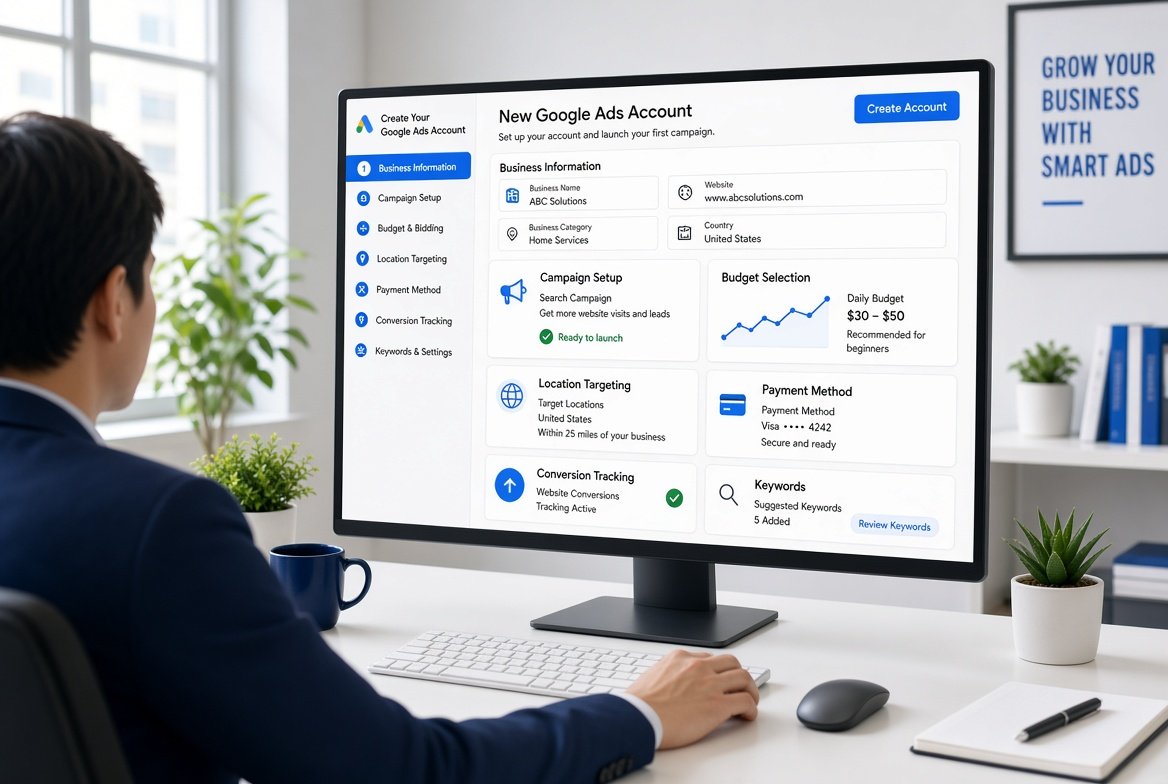
 How to Create Google Ads Account Step by Step
Learning how to create Google Ads account is the first step toward advertising your products or services on Google. The setup process is straightforward, but choosing the right business information, billing country, time zone, campaign settings, and payment details is important because these settings can affect how your account operates.
Google currently guides new advertisers through the main setup process by asking for business information, campaign goals and budget, and payment details. Google also provides an option in the signup flow to create an account without immediately creating a campaign.
For beginners, the most important thing is not to rush through the setup. Take time to check your business information, select the correct billing details, understand your advertising goals, and prepare your website before launching paid traffic.
This guide explains how to create a Google Ads account step by step, what information you need, how billing works, what to do after account creation, and which mistakes you should avoid.
A Google Ads account is the account you use to create and manage paid advertising campaigns across Google’s advertising network.
Through your account, you can create different campaign types depending on your marketing objectives. These can include Search, Display, Video, Shopping, Demand Gen, App, and Performance Max campaigns.
Your Google Ads account can contain:
Once the account is properly configured, you can use it to advertise your products or services to potential customers.
For businesses that want professional PPC support after setup, Google Ads services can help with campaign planning, management, optimization, and conversion tracking.
Before starting the setup process, prepare the basic information you will need.
You should have:
A Google Account gives you access to Google products such as Google Ads, Gmail, and YouTube. If you already use Gmail or another Google product, you probably already have a Google Account.
If you do not have one, you can create a Google Account before starting your Google Ads setup.
The first step in learning how to create Google Ads account is making sure you have a Google Account that you can use for advertising.
You can use an existing Google Account or create a new one for your business.
For a business, using an account that the company controls is generally a better approach than using a personal email address that only one employee can access.
For example, a company may create an appropriate business email structure and then use that Google Account to manage its advertising access.
Security is also important.
Google recommends using two step verification and maintaining a current recovery phone number to protect access to your Google Account.
Therefore, secure your Google Account before connecting it to advertising campaigns.
Once your Google Account is ready, visit the Google Ads website.
Look for the option to start using Google Ads and sign in with your Google Account.
Google’s current signup process guides new advertisers through account creation and campaign setup.
If you already have a Google Ads account connected to your Google Account, you may be taken directly into the existing account instead of seeing the new account signup process.
In that situation, check your account profile and account list before creating anything new.
Google may ask you to provide information about your business during signup.
This can include:
Providing accurate business information helps Google understand your business and can allow some information to be prefilled during campaign setup.
Make sure your business name is accurate.
Likewise, use the correct website URL.
If your website has several sections, decide which page potential customers should visit after clicking your advertisements.
For example, a plumbing company should generally send users to a relevant plumbing service page rather than an unrelated page.
If your business has a Google Business Profile, you may have the opportunity to connect it during the setup process.
You may also be able to link other Google properties, such as a YouTube channel.
Connecting relevant accounts can help Google use existing business information during campaign setup and may provide campaign suggestions.
However, only connect accounts that belong to the correct business.
If you manage advertising for clients, make sure you are working with the appropriate account and permissions.
Businesses can also improve their local visibility through Google Business Profile services.
Google may ask what you want to achieve with your advertising.
Your goal should match the actual business objective.
Common objectives can include:
For example, an ecommerce store may focus on sales, while a local plumbing company may focus on leads and phone calls.
Choosing the right goal can help guide campaign recommendations.
However, do not select a goal simply because it sounds attractive.
Think about what action represents real value for your business.
Your campaign type determines where and how your advertisements can appear.
Google supports several campaign types, including Search, Display, Video, Shopping, Demand Gen, App, and Performance Max.
Search campaigns can show text advertisements when users search for relevant products or services.
They can be particularly useful when customers actively search for what your business offers.
Businesses can explore Google Search advertising when they want to reach high intent searchers.
Display campaigns can help businesses reach users through visual advertising across Google’s advertising network.
They can support awareness, remarketing, and other objectives.
Learn more about Google Display advertising if visual advertising is relevant to your strategy.
Shopping campaigns can help ecommerce businesses promote products to users searching for relevant items.
Product information can be displayed alongside shopping results, making this campaign type useful for online stores.
Businesses can learn more about Google Shopping Ads before launching product campaigns.
Performance Max campaigns are designed to help advertisers reach potential customers across Google’s advertising inventory using automated optimization.
They can be useful for businesses that have suitable conversion tracking and sufficient data.
However, campaign selection should always be based on the business objective rather than simply choosing the newest campaign type.
Budget is one of the most important parts of Google Ads setup.
Your budget determines how much you are willing to spend on advertising.
Before choosing a budget, consider:
For example, a business selling a high value service may be comfortable spending more per qualified lead than a company selling a low cost product.
Therefore, budget decisions should be connected to business economics.
Avoid choosing a budget simply because another business uses the same amount.
Google asks you to select the billing country during account setup.
This is an important setting because your billing country affects the payment options and billing arrangements available to your account.
Select the country or territory that matches your actual billing address.
Do not select a different country simply because you believe it will provide cheaper advertising costs or different payment options.
Incorrect billing information can create account and payment complications later.
Your account time zone is another important setting.
Google explains that the selected time zone affects reports, statistics, and billing.
Therefore, choose carefully.
If your business operates in Pakistan, for example, select the appropriate Pakistan time zone when setting up an account intended for that business.
Likewise, an advertiser managing campaigns for a business in another market should understand how the account’s time zone affects reporting and scheduling.
Do not choose a random time zone simply because it appears familiar.
Google may ask you to select the appropriate payment profile or account type during billing setup.
Google’s current signup documentation states that the account type may default to an organization, with an individual option available where appropriate.
Select the option that accurately reflects your business and applicable tax requirements.
If you are unsure which option applies to your situation, check the relevant local requirements before completing the setup.
The next stage involves adding payment information.
Depending on your location and available billing setup, Google may support payment methods such as credit or debit cards, PayPal, or bank accounts. Available options can vary by country.
Enter your payment information carefully.
Check:
Google notes that a temporary authorization may appear when using a credit or debit card, and the exact amount is shown during signup.
Therefore, do not assume every temporary transaction represents an advertising charge.
If Google has provided you with a promotional code, you may be able to enter it during billing setup.
Google refers to these as introductory offers, coupons, or vouchers depending on the setup.
If you have a valid promotional offer, check its eligibility requirements before applying it.
Do not purchase promotional codes from unreliable sources.
Before completing the account creation process, review your information carefully.
Check:
This review is important because some settings can affect future reporting and billing.
For example, selecting the wrong time zone can affect how you interpret campaign performance.
Likewise, incorrect payment details can delay campaign activation.
After reviewing the information, complete the signup process.
Google’s current signup flow includes the submission of billing information and account setup.
Depending on the signup flow presented to you, you may be guided directly toward creating your first campaign.
However, Google also states that advertisers can create the account before creating a campaign and skip campaign creation recommendations during signup.
For beginners, this can be useful because it allows you to configure the account first and plan the campaign properly before spending money.
Yes, Google currently provides an option within its signup process to create an account without immediately creating a campaign.
This can be useful if you want to:
Creating the account first can give you time to prepare a proper advertising strategy.
That approach is often better than launching a campaign immediately without researching keywords, landing pages, conversion tracking, and audience targeting.
Creating the account is only the beginning.
Before launching advertisements, set up conversion tracking so you can measure important actions.
Conversions can include:
Google’s signup documentation also identifies conversion measurement as part of the account setup process.
Accurate tracking is essential because clicks alone do not tell you whether your advertising is generating business results.
For example, a campaign may receive hundreds of clicks but generate only two qualified leads.
Without conversion tracking, that problem may be difficult to identify.
Google Analytics can provide additional information about website traffic and user behavior.
Connecting relevant Google products can make it easier to understand how paid traffic interacts with your website.
You can analyze information such as:
However, make sure the correct Google Analytics property is connected to the correct advertising account.
Incorrect connections can create reporting confusion.
If you plan to create Search campaigns, keyword research should happen before you write advertisements.
Start by identifying:
For example, a local roofing company may target searches related to roof repair, roof replacement, emergency roofing, and roofing contractors.
However, informational searches may not have the same commercial value.
Professional keyword research services can help businesses build a more structured keyword strategy.
Once your keywords are researched, organize your campaigns and ad groups.
A basic Search campaign structure might look like:
Campaign: Plumbing Services
Ad Group: Emergency Plumbing
Ad Group: Drain Cleaning
This structure helps keep keywords and advertisements closely related.
Consequently, users are more likely to see relevant advertisements after searching.
Your advertisements should match the keywords and landing pages.
For example, if an ad group focuses on emergency plumbing, the advertisement should clearly communicate emergency plumbing services.
Include relevant benefits such as:
Only use claims that are genuinely accurate.
A strong advertisement should attract the right customer rather than simply generate the highest possible number of clicks.
Every advertisement should direct users to a relevant page.
For example:
Keyword: emergency plumber
Advertisement: Emergency Plumbing Services
Landing Page: Emergency Plumbing Service
Sending this visitor to an unrelated homepage can reduce the likelihood of conversion.
A dedicated landing page can also make it easier to communicate the exact service being promoted.
Businesses can use landing page development to create pages that support their paid advertising campaigns.
Location targeting is particularly important for local businesses.
If your company serves only specific cities, you should not automatically target an entire country.
For example, a local dentist may target its city and surrounding service area.
Similarly, a home service company can focus advertising on locations where its technicians actually operate.
Accurate location targeting can reduce irrelevant traffic and help concentrate budget on useful searches.
Google Ads offers different bidding approaches depending on campaign type and objectives.
Your choice should reflect the campaign’s goal and the amount of reliable conversion data available.
For example, a new account with limited conversion information may require a different approach from an established account with significant historical data.
Do not select a bidding strategy simply because it is recommended by another advertiser.
Instead, understand what the strategy is designed to achieve.
Negative keywords can help prevent advertisements from appearing for irrelevant searches.
Suppose a company sells premium consulting services.
Searches for free consulting or free templates may not be valuable.
Adding appropriate negative keywords can help protect the advertising budget.
However, negative keyword lists should be reviewed regularly because search behavior can change.
Once your account, conversion tracking, keywords, advertisements, targeting, budget, bidding, and landing pages are ready, you can launch your campaign.
Before publishing, review everything again.
Check:
After launch, do not immediately make major changes based on a few hours of data.
Allow sufficient data to accumulate before making strategic decisions.
New advertisers often make avoidable mistakes during account setup.
Your billing country should accurately reflect your billing situation.
The time zone affects reporting, statistics, and billing, so it should be selected carefully.
Creating an account does not mean you should immediately spend money.
Take time to prepare the campaign.
Always verify the website URL before connecting it to your account.
Without conversion tracking, measuring campaign effectiveness becomes much harder.
Your landing page should match the advertisement and keyword.
Broad targeting can generate irrelevant traffic if it is not properly managed.
Your budget should reflect your customer value, expected conversion rate, and available resources.
Do not give other people your Google Account password.
Google recommends maintaining account security and using two step verification.
Instead, use appropriate account access methods when working with employees, agencies, or clients.
Before launching your first campaign, use this checklist:
This process can help reduce setup errors before advertising begins.
Creating a Google Ads account itself does not require you to pay a software subscription fee.
However, advertising costs begin when you run paid campaigns and receive billable advertising activity according to your account’s billing setup.
The amount you spend depends on factors such as:
Therefore, there is no single advertising cost that applies to every business.
The account setup and advertising budget are separate considerations.
There is no universal starting budget.
Instead, consider the economics of your business.
For example, suppose a business earns a significant profit from every new customer. It may be able to justify a higher acquisition cost than a business selling low margin products.
Start with a budget that allows you to collect meaningful data without creating financial pressure.
Then monitor:
Over time, the data can help determine whether the budget should increase or decrease.
Small businesses can follow the same basic setup process.
However, their strategy should usually focus on the products and services that generate the strongest commercial value.
For example, a local plumber could focus on:
Instead of advertising every possible service immediately, start with the services that have clear demand and strong customer value.
Combining paid advertising with SEO for small businesses can also help build long term search visibility.
Ecommerce businesses have different requirements.
An online store may need to prepare:
Once the foundation is ready, Shopping campaigns can help promote individual products.
Google Shopping Ads can be an important part of an ecommerce advertising strategy. Businesses can learn more through Google Shopping Ads services.
Lead generation businesses should focus on measurable customer actions.
For example:
The landing page should make the desired action clear.
Furthermore, businesses should have a process for contacting new leads quickly.
Generating leads without an effective follow up process can reduce the value of the advertising campaign.
Businesses can explore lead generation advertising when building campaigns around customer inquiries.
A standard Google Ads account is used to manage advertising for a business.
A Google Ads Manager Account, often called a manager account, is designed for advertisers or agencies managing multiple Google Ads accounts.
Google states that manager accounts can help agencies manage multiple accounts from one place.
If you are creating your first account for your own business, you generally do not need a manager account.
On the other hand, agencies managing several clients may benefit from one.
Google also allows eligible users to create new client accounts through a manager account.
Yes, businesses and agencies can manage multiple Google Ads accounts.
However, the right structure depends on your business needs.
If you are an agency managing different clients, a manager account can simplify access and account organization.
If you are a business owner advertising your own company, one standard account may be enough.
Avoid creating unnecessary duplicate accounts simply to test different campaign ideas.
A well structured account is generally easier to manage and analyze.
Creating the account is only the first stage.
Afterward, focus on building the foundations of a successful advertising campaign.
Start with:
Once the campaign is active, review performance regularly.
Look beyond clicks and impressions.
Instead, focus on meaningful business outcomes such as qualified leads, sales, revenue, and return on advertising spend.
Businesses can also strengthen their wider paid search strategy through PPC advertising strategy.
Your advertising account can contain billing information, customer data, campaign information, and significant advertising budgets.
Therefore, security should be treated seriously.
Use these practices:
Google specifically recommends two step verification and a current recovery phone number for account security.
Yes, you can create a Google Ads account without paying a software subscription fee. You pay for advertising activity when your campaigns run according to your billing setup.
You need a Google Account, but that does not necessarily mean you must use a Gmail address. Google explains that an existing email address can be used to create a Google Account.
Yes. Google’s current signup guidance states that you can create the account before creating a campaign and skip campaign recommendations during signup.
Google asks for business information including a website during the current signup flow. The exact requirements can depend on the account and campaign setup.
Google Ads is available in many countries, including Pakistan. Your billing country, payment options, currency, and available billing setup depend on your account and location.
Yes. Google supports access to multiple Google Ads accounts from the same Google Account. Agencies can also use manager accounts to manage multiple advertising accounts.
The basic signup process can be completed relatively quickly when your Google Account, business information, and payment details are ready. However, preparing a proper campaign should take additional time.
Before launching, prepare conversion tracking, keywords, campaign structure, advertisements, landing pages, location targeting, budget, and billing information.
Many campaign settings can be modified later. However, some account level settings, such as billing country and time zone, should be selected carefully during setup because they can affect billing and reporting.
Learning how to create Google Ads account is relatively simple, but creating the account is only the beginning of successful PPC advertising.
Start by preparing a secure Google Account and accurate business information. Then select the correct billing country, time zone, account type, payment method, and advertising objective.
Afterward, take time to configure conversion tracking, research keywords, structure campaigns, write relevant advertisements, and prepare useful landing pages.
Most importantly, do not treat account creation as the same thing as campaign strategy.
A properly configured Google Ads account gives you the foundation, but profitable advertising depends on what you do after setup.
Strong keyword research, relevant advertisements, accurate conversion tracking, smart targeting, useful landing pages, and continuous optimization can all contribute to better results.
Businesses can also combine paid advertising with search engine optimization services to build a broader search marketing strategy.
Get Free Strategy Session or Request Proposal.