
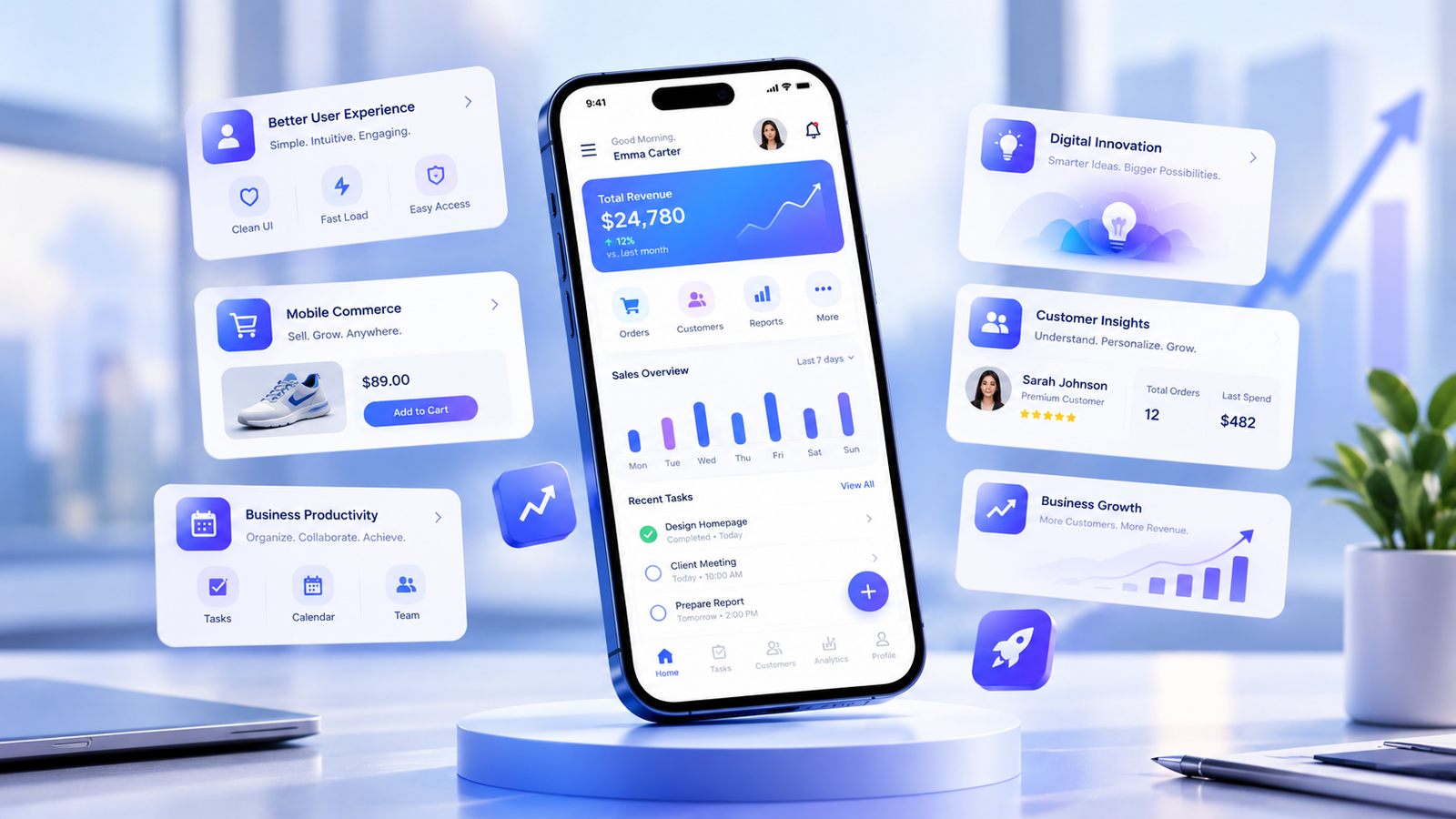
 Mobile App Design for Modern Business Apps
Mobile app design plays an important role in how customers interact with a business, explore its services, and complete everyday tasks. A well designed mobile application helps businesses deliver a smooth user experience, improve customer engagement, and make digital services easier to access. From online shopping and appointment booking to financial services and business management, modern mobile apps need to combine attractive visuals, simple navigation, reliable performance, and useful features.
For businesses investing in digital transformation, mobile app design is more than choosing colors and arranging buttons. It involves understanding user needs, planning app functionality, creating intuitive interfaces, and testing the experience across different devices. The goal is to build an application that looks professional, solves real problems, and supports measurable business objectives.
In this guide, we explain mobile app design for modern business apps, including essential design principles, user experience best practices, important features, development considerations, and ways to create an application that customers enjoy using.
Mobile app design is the process of planning and creating the visual interface and user experience of an application for smartphones and tablets. It combines user interface design, user experience strategy, interaction design, navigation, accessibility, and visual communication.
A successful mobile application should help users complete tasks without unnecessary effort. Whether someone is booking a service, purchasing a product, checking an account, or contacting customer support, every screen should make the next step clear.
Mobile app design generally includes two connected disciplines.
User interface design, commonly known as UI design, focuses on how an application looks and how its interactive elements are presented.
UI design includes:
A professional interface helps users understand the application and recognize important actions. Consistent design also strengthens brand identity.
User experience design, commonly known as UX design, focuses on how people use an application and whether they can achieve their goals easily.
UX design considers user expectations, information architecture, task flows, usability, accessibility, and feedback.
For example, an online shopping application should make it easy to search for products, compare options, add items to a cart, and complete checkout. If customers struggle to understand the process, even an attractive interface may fail to deliver a good experience.
UI and UX work together to create a mobile application that is visually appealing, practical, and easy to use.
Customers increasingly expect digital services to work smoothly on mobile devices. Businesses that provide confusing or frustrating app experiences risk losing users to alternatives that are easier to navigate.
Thoughtful mobile app design can support several important business outcomes.
A clear interface reduces the effort required to complete common tasks. Users can find information, access features, and navigate between screens without feeling overwhelmed.
For example, a service business can provide a straightforward booking process with clear appointment options, confirmation messages, and appointment reminders.
When an application consistently meets user expectations, customers have more reasons to return.
A mobile application is another opportunity to communicate a business’s personality and values.
Consistent colors, typography, icon styles, and visual elements create a recognizable experience. A financial services app may prioritize clarity and confidence, while a lifestyle application may use expressive imagery and a more playful visual style.
The design should reflect the brand without sacrificing usability.
Useful features can encourage customers to interact with a business more frequently.
Depending on the application, these features may include personalized dashboards, saved preferences, order tracking, loyalty rewards, booking management, or relevant notifications.
The most effective approach is to offer features that genuinely help users rather than adding unnecessary functions simply to increase engagement.
Mobile applications can simplify repetitive tasks for both customers and employees.
Businesses may use apps to manage bookings, review reports, process orders, communicate with customers, or coordinate internal workflows.
A well planned interface makes these activities easier to understand and reduces avoidable mistakes.
A confusing digital experience can make even a strong service difficult to use. Modern mobile app design helps businesses meet customer expectations while presenting their services professionally.
However, a competitive application requires more than attractive screens. Performance, security, accessibility, and useful functionality are equally important.
Modern business apps should be designed around real user needs rather than visual trends alone. The following principles provide a foundation for a reliable and effective application.
Users should understand the purpose of each screen quickly. Avoid overcrowding interfaces with unnecessary buttons, decorative elements, or competing messages.
Prioritize the most important action on each screen and move secondary options into appropriate menus or supporting sections.
For example, a booking app should make selecting a service and scheduling an appointment straightforward rather than presenting every available setting at once.
Consistency helps users learn how an application works.
Use a clear design system with reusable colors, typography, button styles, icons, spacing rules, and form components. Similar actions should look and behave consistently throughout the application.
A shared design system also helps designers and developers maintain the product as new features are introduced.
Navigation should reflect how users think about the tasks they need to complete.
Common destinations should be easy to locate, labels should be understandable, and the number of navigation options should remain manageable.
For example, a business management app may organize its main navigation around Dashboard, Tasks, Reports, and Account. The exact structure should depend on the needs of its users.
Mobile applications must accommodate different screen sizes, orientations, and device capabilities.
Responsive design principles help interfaces remain readable and usable on smaller and larger screens. Content should resize appropriately, buttons should remain accessible, and layouts should avoid unnecessary horizontal scrolling.
Designers should also account for device-specific elements such as notches, safe areas, and system navigation.
Accessibility ensures that people with different abilities can use an application effectively.
Important considerations include readable text, sufficient color contrast, descriptive labels, screen reader support, accessible touch targets, and alternatives to interactions that depend only on color or gestures.
Accessibility should be considered from the beginning of the design process rather than added as a final adjustment.
Applications should communicate what happens after a user takes an action.
For example, after a customer submits a booking request, the app should display a confirmation or explain what needs to be corrected.
Loading indicators, success messages, validation errors, and understandable empty states help users know what to expect.
The right features depend on the business model, customer expectations, and the problems the application needs to solve.
Many business applications require users to create accounts or access personalized information. The registration and login experience should be straightforward while maintaining appropriate security.
Useful considerations include clear input labels, understandable password requirements, secure authentication, account recovery, and support for suitable authentication methods.
Avoid requesting unnecessary personal information during registration.
A dashboard provides users with an overview of relevant information and frequently used actions.
For a service business, the dashboard might display upcoming appointments and booking history. An eCommerce application may highlight recent orders and saved products, while an internal business app may prioritize tasks and performance indicators.
Personalization should make important information easier to find rather than adding visual clutter.
Search helps users locate products, services, records, or information quickly.
Depending on the application, useful features may include search suggestions, filters, sorting options, recent searches, and clear search results.
Search controls should remain easy to find, and the app should provide helpful guidance when no results match a query.
Push notifications can inform users about relevant updates, appointments, order progress, and important account events.
However, notifications should be timely and useful. Excessive or irrelevant messages can frustrate users and encourage them to disable notifications.
Ask for permission at an appropriate moment, explain the value of notifications, and provide settings that allow users to manage their preferences.
Businesses that sell products or services may need payment gateways, checkout flows, booking calendars, invoices, or transaction histories.
These interfaces should clearly display prices, fees, payment status, and confirmation details. Sensitive information must be handled using appropriate security practices.
The design should also explain how users can resolve payment problems or change an appointment when permitted.
Support features help users resolve issues without leaving the application.
Depending on business needs, an app might include frequently asked questions, contact forms, help articles, chat support, or access to service requests.
Support options should be easy to locate, particularly during checkout, account management, or other important tasks.
Business applications may provide reports, dashboards, and performance summaries.
Information should be organized according to user needs. Use clear labels, readable charts, understandable units, and appropriate comparisons.
Avoid presenting too many metrics on one screen. Highlight the information users need to make decisions and allow them to explore additional details when necessary.
A structured design process helps businesses reduce uncertainty before committing to development. It also creates opportunities to identify usability problems early.
Begin by identifying what the application should accomplish.
Possible goals include increasing online bookings, simplifying order management, improving customer retention, reducing administrative work, or providing self service support.
Each goal should be connected to a clear user need. A feature that does not support a meaningful user or business objective may not be worth including in the first release.
User research helps teams understand the audience, existing workflows, expectations, and challenges.
Useful methods include interviews, surveys, competitor reviews, customer support analysis, and usability studies.
For example, a small business serving customers who are unfamiliar with mobile technology may need larger text, simpler instructions, and fewer steps than an application designed for experienced professional users.
Design decisions should be based on evidence rather than assumptions whenever possible.
Information architecture defines how screens, content, and features are organized.
Create a clear structure that allows users to move between important areas without unnecessary steps. Map common tasks such as registration, product search, checkout, booking, or account updates.
Planning these flows before designing detailed screens helps prevent confusing navigation later.
Wireframes are simplified layouts that show the placement of key elements on each screen.
They help teams focus on content hierarchy, navigation, and functionality before spending time on detailed visual design.
At this stage, designers can compare different layouts and identify unnecessary steps with relatively little effort.
Once the basic structure is established, designers create the visual interface.
This stage includes selecting typography, colors, icons, imagery, spacing, and component styles. The design should reflect the brand while keeping important actions visible and understandable.
A reusable design system can help maintain consistency across screens and future updates.
A prototype demonstrates how the app will behave when users tap buttons, navigate between screens, submit forms, or complete important tasks.
Prototypes help stakeholders review the experience before development begins. They also allow usability testing without requiring a fully functioning application.
Usability testing helps identify problems that designers may overlook.
Ask representative users to complete realistic tasks and observe where they hesitate, make mistakes, or become confused.
Useful tests may cover account creation, search, booking, checkout, and access to support.
Use the findings to improve the design before launch.
Designers and developers should collaborate to ensure the finished application matches the intended experience.
Review component behavior, screen layouts, loading states, error messages, accessibility, and interactions on relevant devices.
Testing should include performance, security, compatibility, and reliability rather than focusing only on visual appearance.
Launching an application is not the end of the design process.
Use appropriate analytics, customer feedback, support requests, and usability studies to identify opportunities for improvement.
Track meaningful outcomes such as task completion, successful bookings, checkout completion, app crashes, and customer satisfaction.
Make changes based on observed problems and validated opportunities.
Design trends can provide useful inspiration, but businesses should adopt them only when they improve the user experience.
Minimalist design emphasizes clarity, useful content, and intentional spacing.
Removing unnecessary visual elements helps users focus on the information and actions that matter. However, minimalism should not remove important instructions or make controls difficult to discover.
Personalization can help users reach relevant information more quickly.
Examples include saved preferences, recently viewed products, recommended services, and dashboards tailored to different user roles.
Personalization should be transparent, useful, and respectful of user privacy.
Dark mode provides a darker interface option that some users prefer in low-light environments.
A well implemented dark mode needs suitable text contrast, consistent colors, and carefully designed icons and visual states. It should not simply invert every color without considering readability.
Artificial intelligence can support features such as natural language search, personalized assistance, automated support, and intelligent recommendations.
These capabilities should solve real problems and communicate their limitations clearly. Users should retain appropriate control over important decisions and access to human support when necessary.
Microinteractions are small visual or functional responses to user actions.
Examples include a button changing state after a tap, a subtle loading animation, or a clear confirmation after saving a form.
These details make an app feel responsive, provided they remain fast and do not interfere with accessibility or performance.
Businesses may need applications for both iOS and Android. A shared design system can maintain brand consistency while respecting platform conventions.
Some elements should look and behave differently when users expect platform-specific interactions. The objective is a coherent experience, not necessarily identical screens on every device.
Even well funded projects can struggle if the design creates unnecessary friction.
Adding too many features to the home screen makes an application harder to understand.
Prioritize the tasks users perform most often. Place secondary functions where they remain accessible without competing with the main actions.
Design teams should not assume that their preferred layout will work for everyone.
Gather feedback from representative users, examine support requests, and test important workflows before and after launch.
Unclear labels, inconsistent menus, and unexpected screen transitions can prevent users from completing tasks.
Use familiar terminology and make the location of important features predictable.
Animations, images, and complex interfaces can affect performance if they are not implemented carefully.
Optimize assets, avoid unnecessary loading, and test on devices with different capabilities and network conditions.
Small text, weak color contrast, unlabeled controls, and inaccessible gestures can exclude users.
Build accessibility into design specifications and test with assistive technologies where appropriate.
Long registration forms can discourage users from getting started.
Ask only for information that is necessary at each stage. Where appropriate, allow users to complete optional profile details later.
Users need guidance when a search returns no results, a network connection fails, or a form contains invalid information.
Design these states deliberately and explain how users can continue.
Mobile app design costs vary depending on project complexity, business requirements, the number of screens, research needs, and the experience of the design team.
A simple prototype for a small business application typically requires less work than a complex platform involving multiple user roles, custom dashboards, payment workflows, and integrations.
Common factors affecting the cost include:
Businesses should request a project estimate based on a defined scope rather than relying on a single price for every application.
It is also important to distinguish design costs from development costs. Designing an interface does not automatically include programming, backend systems, integrations, hosting, app store preparation, or ongoing maintenance.
Selecting a suitable design partner can make a significant difference to the quality of your application.
Look for work that resembles your business model or user needs. Examine how the agency handles navigation, complex tasks, forms, dashboards, and mobile layouts.
A portfolio should demonstrate more than attractive visuals. It should show that the team can solve practical usability problems.
A reliable design partner should explain how it conducts research, plans user journeys, creates wireframes, tests prototypes, and prepares designs for development.
Ask how user feedback influences decisions and how changes are handled during the project.
Clarify what the project includes. Deliverables may include user flows, wireframes, high fidelity screens, interactive prototypes, design system components, and developer handoff documentation.
Clear deliverables help avoid misunderstandings about what is included in the agreed budget.
Mobile app design often requires input from product managers, developers, marketing teams, and business stakeholders.
Choose a team that communicates clearly, explains design decisions, and works effectively with the people responsible for building and maintaining the app.
Business needs can change after launch. Ask whether the agency can support usability improvements, new features, interface updates, and ongoing design system maintenance.
A long term approach helps the application evolve alongside customer expectations.
Good design should support outcomes that matter to both users and the business.
The most appropriate metrics depend on the purpose of the application.
| Metric | What it helps measure |
|---|---|
| Task completion rate | Whether users can complete important tasks successfully |
| Time on task | How long users need to finish a particular activity |
| Conversion rate | The percentage of users who complete a target action |
| Checkout abandonment | Where customers leave a purchasing process |
| Booking completion | Whether users successfully schedule a service |
| App crash rate | The reliability of the application |
| Customer satisfaction | How users perceive their experience |
| Retention rate | Whether users continue returning over time |
Metrics should be interpreted in context. For example, longer session times are not always positive. A user spending more time in a booking flow may indicate confusion rather than engagement.
Combine quantitative analytics with qualitative feedback to understand what users are experiencing and why.
Mobile app design for modern business apps requires a balance of usability, visual consistency, accessibility, performance, and business strategy. An effective application makes important tasks easy to complete while providing a trustworthy and recognizable brand experience.
The strongest results come from understanding users before designing screens, validating ideas through prototypes, testing important workflows, and improving the product after launch.
Whether you are creating an eCommerce app, a service booking platform, a customer portal, or an internal business tool, focus on solving real problems instead of adding features without a clear purpose.
By following a structured design process and measuring meaningful outcomes, businesses can create mobile applications that support customer satisfaction, operational efficiency, and long term growth.
Mobile app design is the process of planning an application’s interface, navigation, and user experience so people can complete tasks effectively on smartphones and tablets.
UI design focuses on the visual and interactive elements of an application, while UX design focuses on usability, user needs, navigation, and the overall experience.
It helps customers access services, complete tasks, and interact with a business more easily. Effective design can support engagement, customer satisfaction, and business efficiency.
The process generally includes defining goals, researching users, planning information architecture, creating wireframes, developing visual designs, prototyping, usability testing, and supporting development.
The timeline depends on the scope, number of screens, research requirements, and complexity of the workflows. A small prototype can require substantially less time than a complex business application.
Not necessarily. Design commonly covers user flows, interfaces, prototypes, and design documentation. Programming, backend development, integrations, testing, and deployment may be separate services.
Use clear navigation, consistent components, readable text, accessible controls, helpful feedback, and simple workflows. Test the application with representative users and improve areas where they struggle.