
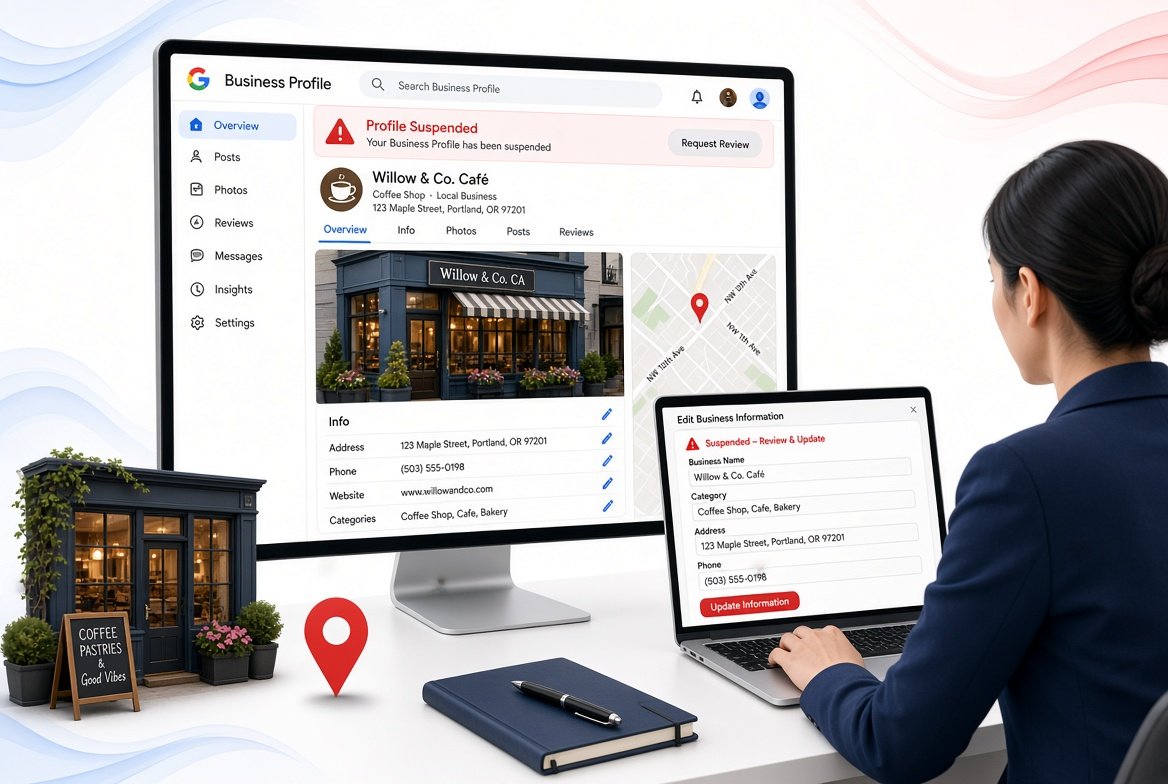
If your Google Business Profile is suspended, Google has restricted the profile because it may not meet its Business Profile guidelines or eligibility requirements. The right fix is to identify the policy issue, correct the profile information, prepare supporting evidence, and submit an appeal through the official reinstatement process.
A Google Business Profile suspension means Google has restricted your business listing or the account managing it because something does not appear to comply with its guidelines. Depending on the situation, the profile may disappear from Google Search and Maps, or access to the profile may be restricted.
A suspension does not automatically mean that your business is fake or permanently removed. It means Google has taken a moderation action that needs to be addressed before the profile can be restored.
The important thing is not to immediately create another listing. If the original profile is suspended, creating another profile for the same business can make the situation more difficult to resolve. Google specifically advises businesses not to create a new Business Profile while an appeal is under review.
For businesses that depend on local searches, the impact can be significant. A customer searching for your company may no longer see your listing, phone number, directions, photos, reviews, services, or other profile information in the normal way.
That is why suspension recovery should begin with diagnosis rather than random profile edits.
There is no single reason behind every suspension. Google can restrict a Business Profile when information, account activity, business eligibility, or other profile signals appear to violate its policies.
The first place to look is the notification shown in your Business Profile or appeals process. Google can identify the moderation action and provide a link to the policy associated with it.
Common areas that deserve attention include business eligibility, business information, ownership, account restrictions, prohibited content, misleading information, and other guideline issues.
A business must meet Google’s eligibility requirements to have a Business Profile.
Google states that eligible businesses must make in person contact with customers during their stated hours. Online only businesses, lead generation companies, certain rental properties, and businesses that do not meet the required eligibility conditions may not qualify for a Business Profile.
This matters because some businesses create profiles simply because they want to rank in a particular city. That does not make the business eligible for a listing in that location.
For example, a company that operates entirely online should not create a Business Profile simply to appear in Google Maps for a city where it has no qualifying physical customer contact.
Businesses that want to build visibility beyond their profile should also understand the difference between local visibility and broader SEO for small businesses. A Business Profile is only one part of a wider search presence.
Your business information needs to accurately represent the real business.
Review your business name, address, service area, category, phone number, website, hours, and other important information before submitting an appeal.
If your profile says one thing while your website, official documents, signage, or other reliable business information says something different, that inconsistency can create unnecessary questions during verification.
Google’s policy guidance emphasizes that Business Profile information should accurately represent the location in question.
Your website should also communicate your services and business information clearly. This is where on page SEO services can support the website side of your local search presence by improving how important information is organized and presented.
Sometimes the problem is not limited to one individual profile.
Google explains that an account can be restricted when it violates Business Profile policies. When an account is restricted, all Business Profiles associated with that account can be suspended.
This is important for agencies and business owners managing multiple profiles.
If several listings suddenly become unavailable at the same time, investigate the managing account instead of assuming that every individual profile has a separate problem.
Account management should be part of your broader local SEO strategy, particularly when several people or agencies have access to business profiles.
Review activity can also create serious problems.
Google does not allow fake engagement, paid reviews, incentivized reviews, manipulated ratings, or other attempts to influence review activity artificially. Businesses also cannot offer discounts, free products, or services in exchange for reviews or changes to reviews.
If someone has purchased reviews for your business, encouraged employees or connected parties to post reviews, or used another method to manipulate ratings, this should be addressed before appealing.
Genuine reviews are an important part of local visibility, but they should come from real customers and reflect their actual experience.
Google also prohibits misleading or deceptive information on Maps.
This can include false representations about a business, misleading descriptions, or information that gives users an inaccurate understanding of the business or service.
Do not try to make your profile look more relevant by adding information that does not accurately describe your business.
Local SEO should improve how the real business is represented, not create a different version of the business for search engines.
The safest approach is to work through the problem systematically.
Do not start by creating a new profile. Do not repeatedly submit appeals without making changes. First determine what Google is objecting to and make sure your profile is compliant.
Start with the exact notification connected to your profile.
Look for the stated reason, moderation action, or policy reference. Google says its appeals tool can show the restricted profile, the reason for the moderation action, and a link to the violated policy.
This gives you a starting point.
If the notification points toward eligibility, review eligibility. If it points toward account restrictions, investigate the account. If it refers to a policy issue, review that specific policy carefully.
Do not guess when Google has already provided a reason.
Check the profile from top to bottom.
Review:
You are looking for information that is inaccurate, misleading, inconsistent, or unsupported.
A small change may not seem important by itself, but several questionable changes together can create a larger problem.
Make sure the actual business qualifies for a Business Profile.
Google states that a business must make in person contact with customers during its stated hours to qualify. It also identifies online only businesses and lead generation agents among examples of businesses that are not eligible.
If the business is a service area business, make sure its setup reflects how it actually operates.
Do not add an address simply because you want to rank in a particular neighborhood.
If you are working on local visibility beyond the Business Profile, local SEO services can help connect your website, business information, location content, and other organic search elements.
Your business name should represent the real world name of the business.
Do not add a collection of keywords to the name simply because you want to rank for more searches.
For example, if a company is actually called ABC Plumbing, changing the profile name to something such as ABC Plumbing Emergency Plumber Best Plumber in Dallas can create an unnecessary policy problem.
Your business name should be accurate rather than optimized through keyword stuffing.
Address issues are particularly important for local businesses.
If customers visit your location, the address should accurately represent the eligible business location.
If customers are served at their locations, the profile setup should accurately reflect that business model.
Do not use a virtual location, mailbox, coworking address, or another location simply because it provides a better ranking opportunity unless the business genuinely qualifies to use that location under Google’s guidelines.
Businesses that are building location based visibility should also understand how a keyword research service can identify genuine search demand without encouraging businesses to manipulate their location information.
Your primary category helps Google understand what your business does.
Choose a category that accurately represents the main business rather than selecting categories simply because they have attractive search demand.
Additional categories should also represent genuine services or business activities.
A profile with a large collection of unrelated categories can look less trustworthy and may create questions about whether the listing accurately represents the business.
Think about what happened before the suspension.
Did you change the business name?
Did you change the address?
Did you change the primary category?
Did you add several managers?
Did you make significant edits to the website or profile?
Did another person take control of the profile?
Did you create another listing?
Did you change the business model?
Did you add a new service area?
This timeline can help identify what needs investigation.
It is also useful to review whether changes were made to the website around the same time. If the business has recently expanded its service pages or location content, make sure those pages accurately represent the services and areas the company genuinely serves.
Before submitting an appeal, prepare documents that can demonstrate that the business is legitimate and that the profile information is accurate.
Google lists examples of useful evidence such as official business registration, business licenses, tax certificates, and utility bills. Google also advises checking that the business name and address on submitted documents match the profile being appealed.
Depending on your business, relevant evidence may include:
Only provide genuine documents that relate to the business.
Do not alter documents or create evidence to make the business appear eligible when it is not.
Once the profile has been reviewed and corrected, use the official Google Business Profile appeals process.
Google’s current process allows you to select the affected profile, review the moderation reason, submit the appeal, and, when prompted, provide supporting evidence.
If the evidence form appears after your appeal, pay attention to the submission window. Google states that evidence must be submitted within 60 minutes of opening the evidence form for it to be attached to the appeal.
Prepare your documents before starting so you are not searching for them after opening the form.
After submitting the appeal, allow Google to review it.
Do not keep making major changes while the appeal is being evaluated unless Google specifically requires additional action.
Google advises against submitting multiple appeals for the same issue before receiving a decision. Its appeal guidance also says that appeal reviews and decisions can take up to five business days for certain content and profile restriction appeals.
Evidence should answer one simple question: does the business genuinely exist and does the profile accurately represent it?
The strongest documents are generally official documents connected directly to the business.
Official registration can help establish that the business exists under the stated name.
Make sure the business name matches the information associated with the profile where applicable.
A valid business license can provide additional evidence that the business operates legitimately.
If the license contains an address or business name, check that these details are consistent with the profile.
Google identifies utility bills for electricity, phone, water, or internet as examples of evidence that may help support an appeal.
The important point is consistency.
If your profile shows one business name and address while your supporting documentation shows another unrelated identity, the evidence may not resolve the underlying concern.
Your website can also help demonstrate what the business does, where it operates, and how customers can contact it.
However, the website should accurately represent the real business.
Do not create a location page solely to make a business appear to have a physical presence somewhere it does not actually operate.
A properly structured content writing service can help businesses communicate their services and locations clearly without creating misleading information.
An appeal should be treated as a compliance review rather than a quick request to Google.
Before submitting it, check the profile carefully.
Confirm that:
The purpose is not to make the profile look perfect for search rankings.
The purpose is to make the profile accurate and trustworthy.
For businesses that need to improve their wider organic presence, off page SEO services can support authority building separately from the profile itself. This should complement genuine business information rather than compensate for inaccurate profile details.
A suspension can become more complicated when a business reacts without understanding the problem.
Creating a replacement profile may seem like a quick solution.
It is not the right response when an existing profile is under appeal. Google specifically instructs businesses not to create a new Business Profile for the same business while an appeal is under review.
Wait for the existing profile to be reviewed.
Do not randomly change the name, category, address, phone number, website, and service area without knowing what caused the problem.
If you change everything simultaneously, it becomes difficult to determine what was wrong and what actually fixed it.
Sending multiple appeals does not necessarily make the case stronger.
Google’s appeal guidance advises against submitting multiple appeals for the same issue before receiving a decision.
A better approach is to review the policy, correct the underlying problem, prepare evidence, and submit a clear appeal.
Buying reviews is not a safe way to strengthen a profile.
Google prohibits fake engagement and incentivized reviews, including offering payment, discounts, free products, or services in exchange for reviews or review changes.
A smaller collection of genuine reviews is more appropriate than an artificially inflated rating.
Adding keywords to a business name because you want to rank for them can create problems.
Your profile should represent the real business name rather than a collection of search terms.
Local SEO works best when the profile, website, business information, and customer experience all describe the same real business.
Getting the profile reinstated is only one part of local search visibility.
Once the listing is restored, the next step is making sure the profile accurately communicates what the business offers and where it operates.
That can include improving the primary category, refining services, creating useful business information, strengthening the website, developing relevant location content, and maintaining accurate business details.
A strong Google Business Profile strategy should focus on accuracy and usefulness rather than manipulating the platform.
Your website also matters because Google can use information from different sources when evaluating business information and local relevance.
This is why local SEO should not be treated as a single profile task. Your website, business information, location signals, customer reviews, and broader online presence should support the same real world business.
A wider search engine optimization service can help connect those organic search activities with the local visibility work being done on the Business Profile.
Businesses that publish useful local content can also benefit from a clear content marketing strategy, provided that location and service information remains accurate.
Once your profile has been reinstated, avoid making unnecessary changes simply to chase rankings.
Update your profile when genuine business changes occur.
If your business moves, changes its operating model, or changes other important information, update the profile appropriately rather than trying to preserve old information for ranking purposes.
Ask real customers for honest feedback without offering incentives or asking them to manipulate their rating or wording.
Google allows businesses to encourage genuine reviews as long as they do not offer incentives or attempt to influence the rating or content.
Your website should clearly explain who you are, what you offer, and where you operate.
If the website says you operate in one place while your Business Profile claims another location, investigate the inconsistency.
For businesses working on broader organic visibility, technical SEO services can help ensure that important website information can be properly accessed and understood by search engines.
Only give profile access to people who genuinely need it.
If an agency, employee, or former employee has access, review those permissions regularly.
Account level issues can affect multiple Business Profiles, so account management should be treated as part of local SEO maintenance.
You may want professional assistance when the suspension is complicated, repeated, connected to multiple profiles, or difficult to diagnose.
This can be especially useful when a business has changed locations, operates as a service area business, has multiple profiles, has several managers, or has experienced previous suspensions.
A professional review can help separate genuine policy problems from unrelated SEO issues.
The goal should not be to find a trick that bypasses Google’s systems. The goal should be to understand why the profile was restricted, correct the underlying problem, document the business properly, and submit an accurate appeal.
If the wider issue involves your local visibility, a structured local SEO service can help build a stronger organic presence alongside your Business Profile.
For businesses comparing different search marketing channels, Google Ads versus SEO can also help explain where paid advertising and organic search fit into a broader acquisition strategy.
Yes, a suspended Business Profile can be reinstated when Google determines that the business and profile meet its requirements and the appeal is successful.
However, reinstatement is not guaranteed simply because an appeal has been submitted. Google reviews the information and evidence provided during the process.
That is why fixing the underlying problem before appealing is so important.
After reinstatement, review the profile before making additional changes.
Check that the business information is correct, that the profile is visible, and that important features are working as expected.
Do not immediately make a large number of edits.
Instead, maintain accurate information and make changes only when there is a genuine business reason to do so.
If the profile has lost local visibility after reinstatement, investigate the broader local SEO situation rather than assuming that another suspension is responsible.
If your business is also running paid campaigns, PPC advertising strategy can be evaluated separately so paid traffic does not become dependent on the availability of your Business Profile.
Your Google Business Profile may be suspended because Google believes the profile, account, or business does not meet its guidelines or eligibility requirements. Possible issues include inaccurate business information, eligibility problems, account restrictions, or policy violations. Check the suspension notification and the policy referenced in the appeals process before making changes.
You fix a Google Business Profile suspension by identifying the reason for the restriction, correcting any policy or eligibility issues, preparing supporting evidence, and submitting an appeal through Google’s official appeals process. Do not create another profile for the same business while the appeal is being reviewed.
The time can vary depending on the type of appeal and circumstances. Google states that certain appeal reviews and decisions can take up to five business days. Avoid submitting repeated appeals for the same issue while waiting for a decision.
Useful evidence can include official business registration, a business license, tax certificates, and utility bills for the business. Google recommends checking that the business name and address shown on supporting documents match the profile being appealed.
No, you should not create a new Business Profile for the same business while an appeal is under review. Google specifically advises against creating a new profile during this process. Address the original suspension and use the official appeal procedure instead.
Keyword stuffing in the business name can create a policy problem because the profile name should accurately represent the real business. Your business name should reflect how the business is represented in the real world rather than being expanded with search terms simply to improve rankings.
Fake or manipulated reviews can result in restrictions and other actions because Google prohibits fake engagement and rating manipulation. This includes paid reviews, incentivized reviews, and attempts to influence customers to provide specific ratings or content.
Yes, a qualifying service area business can have a Business Profile, but its profile must accurately represent how and where the business operates. Do not add an address or location simply to rank in a city where the business does not have an eligible presence.
If an appeal is rejected, review the stated policy issue again and determine whether something remains inaccurate or noncompliant. Do not respond by creating duplicate profiles or repeatedly submitting the same appeal without addressing the underlying problem. Google provides an additional appeal process for certain situations and explains the available options within its support system.
Yes, local SEO can help strengthen your overall search presence after reinstatement by improving your website, business information, location relevance, content, and other local search signals. The priority should be accurate representation of the real business rather than attempts to manipulate the Business Profile platform.
If your Business Profile has been suspended, the first priority is to identify the actual issue rather than making random changes. Review the profile, correct inaccurate information, prepare genuine supporting evidence, and use the official appeal process.
If you need help reviewing your local search presence and building a stronger SEO foundation, PulseDigitall can help you assess your website and local visibility.
Get Free Strategy Session or Request Proposal for your SEO and local search needs.